Frequently Asked Question
How do I submit a tech support ticket?
Last Updated 7 years ago
The BOUSD IT Team is pleased to provide a new online system for staff and teachers to submit IT related work orders. The system allows staff and teachers to centrally track their open and past tickets. We encourage all BOUSD staff and teachers to use this system when experiencing any technology related issues. Please submit separate work orders for different technology issues.
How Do I Open a New Ticket?
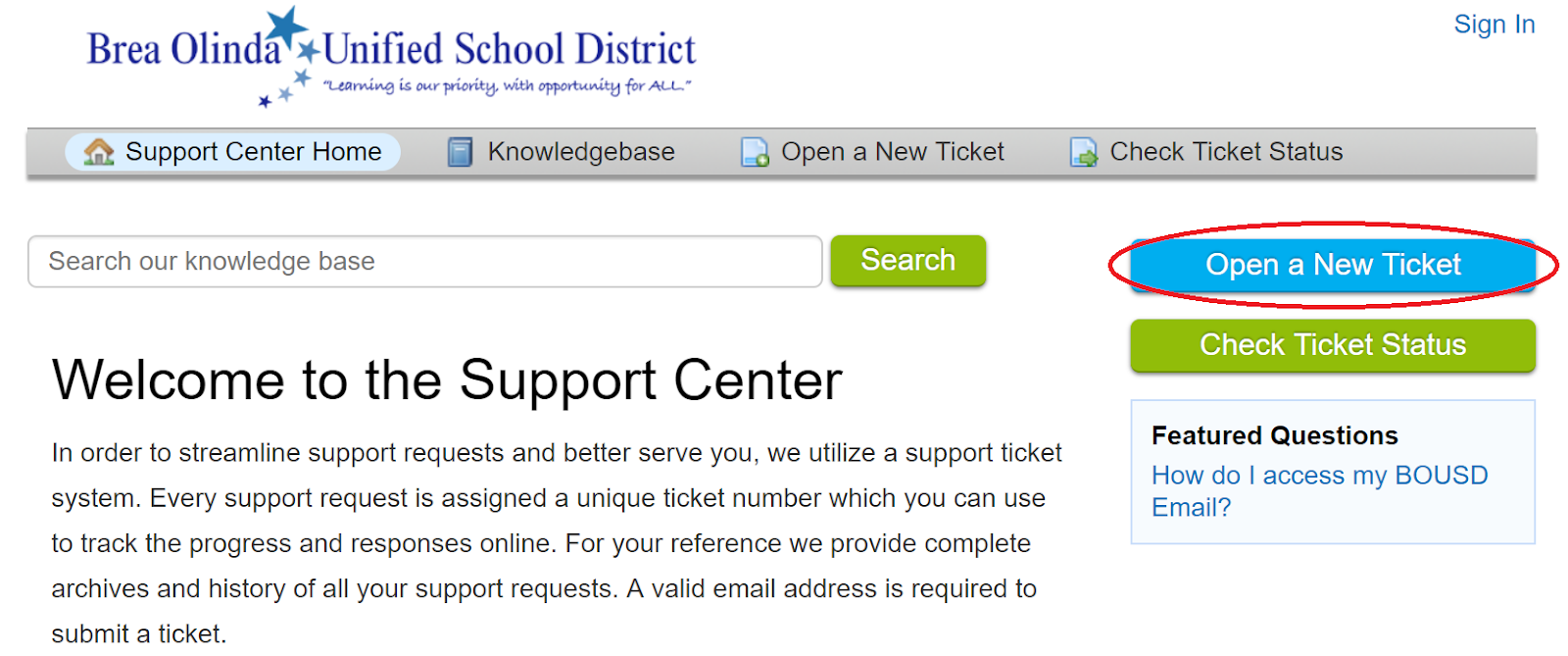
- To open a ticket, click the Open a New Ticket button on the right side of the web page.
- Enter your BOUSD email address, followed by your BOUSD password . (If you have any trouble logging in, please send an email to support@bousd.us)
- Select a Help Topic. A variety of input boxes will appear depending on the Help Topic you choose. Please be sure to fill out as much detailed information as possible, and click Create Ticket to submit the request.
- (Optional) You can also add attachments such as pictures to a ticket in the Ticket Details section.
- Once the ticket has been submitted you will see a summary of your ticket. An email will also be sent to you for future tracking and correspondence. If you need to edit the ticket, you can do so from the web interface as well as post replies.